Skip to main content
Microsoft
HAX Toolkit
HAX Toolkit
HAX Toolkit
Home
Design Library
Learn the tools
Guidelines
Design Library
Design Patterns
Workbook
Playbook
About
Share ideas
More
All Microsoft
Global
Microsoft Security
Azure
Dynamics 365
Microsoft 365
Microsoft Teams
Windows 365
Tech & innovation
Tech & innovation
Microsoft AI
Azure Space
Mixed reality
Microsoft HoloLens
Microsoft Viva
Quantum computing
Sustainability
Industries
Industries
Education
Automotive
Financial services
Government
Healthcare
Manufacturing
Retail
Partners
Partners
Find a partner
Become a partner
Partner Network
Microsoft Marketplace
Marketplace Rewards
Software development companies
Resources
Resources
Blog
Microsoft Advertising
Developer Center
Documentation
Events
Licensing
Microsoft Learn
Microsoft Research
View Sitemap
Search
Search or ask a question
No results
Cancel
0
Cart
0 items in shopping cart
Sign in
HAX Design Library
Interactive collection of the 18 Guidelines for Human-AI Interaction, with design patterns for applying them and examples.
Guideline 1 > Pattern 1A
Pattern 1A: Introductory blurb
G1: Make clear what the system can do.
Advertising
Chatbot
E-commerce
Email
Health and wellness
Guideline 1 > Pattern 1B
Pattern 1B: Use explanation (G11) patterns
G1: Make clear what the system can do.
Advertising
Chatbot
E-commerce
Email
Health and wellness
Guideline 1 > Pattern 1B > Example
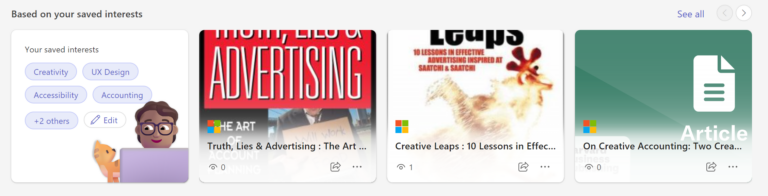
Viva Learning | 1B: Use explanation (G11) patterns
Guideline 1 > Pattern 1B > Example
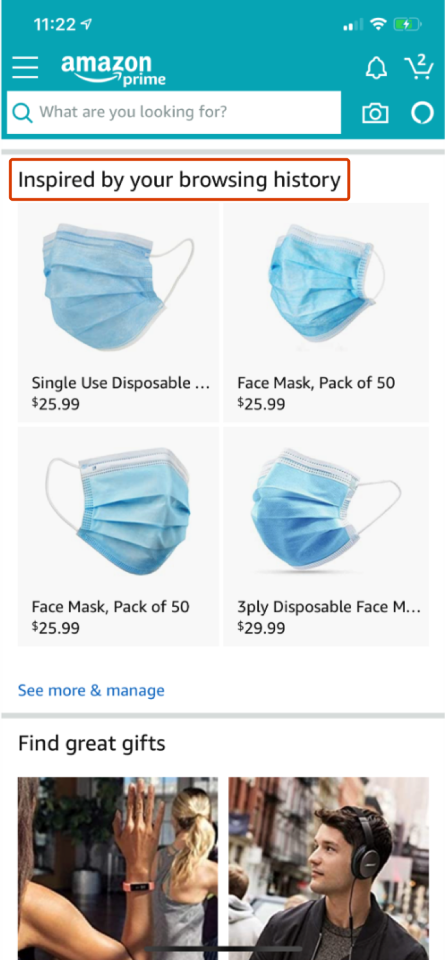
Amazon | 1B: Use explanation (G11) patterns
Guideline 1 > Pattern 1C
Pattern 1C: Expose system controls
G1: Make clear what the system can do.
Advertising
Chatbot
E-commerce
Email
Health and wellness
Guideline 1 > Pattern 1C > Example
Viva Topics | 1C: Expose system controls
Guideline 1 > Pattern 1C > Example
Viva Topics | 1C: Expose system controls
Guideline 1 > Pattern 1C > Example
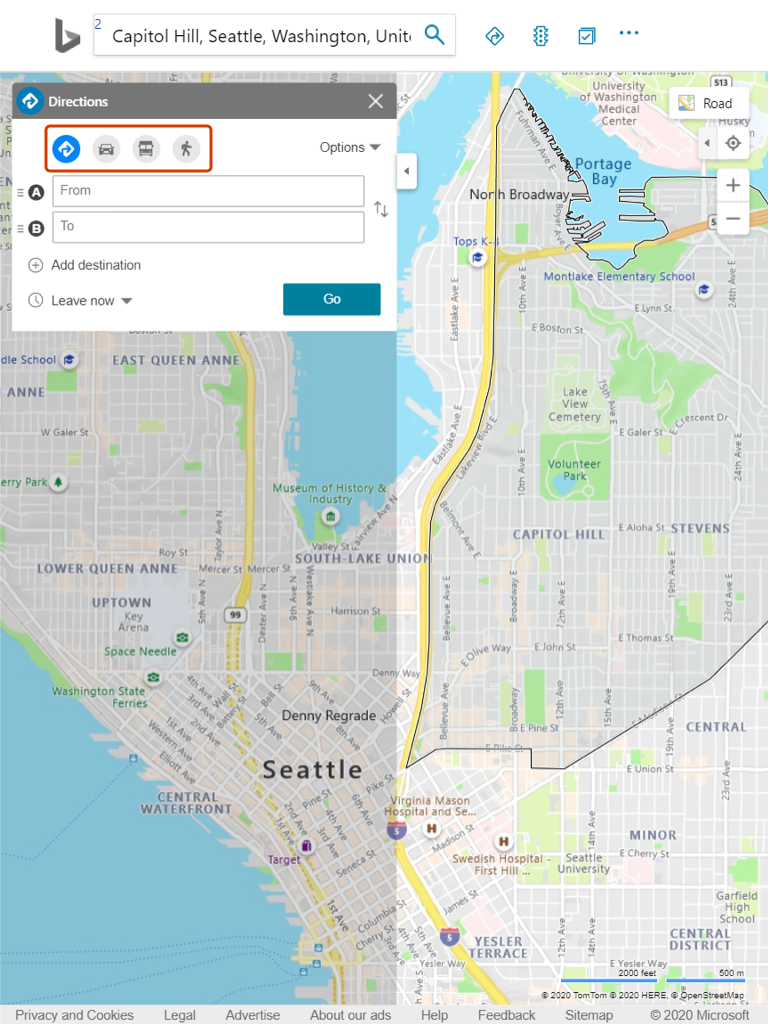
Bing Maps | 1C: Expose system controls
Guideline 1 > Pattern 1D
Pattern 1D: Demonstrate possible system inputs
G1: Make clear what the system can do.
Advertising
Chatbot
E-commerce
Email
Health and wellness
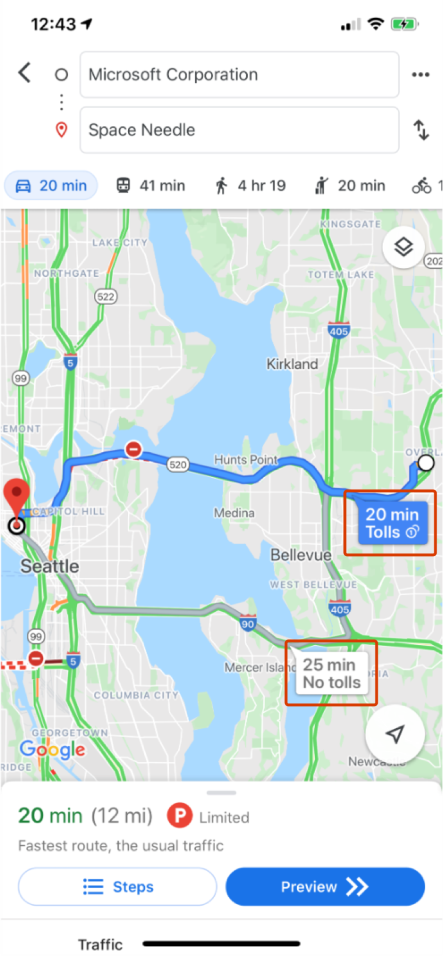
Guideline 1 > Pattern 1D > Example
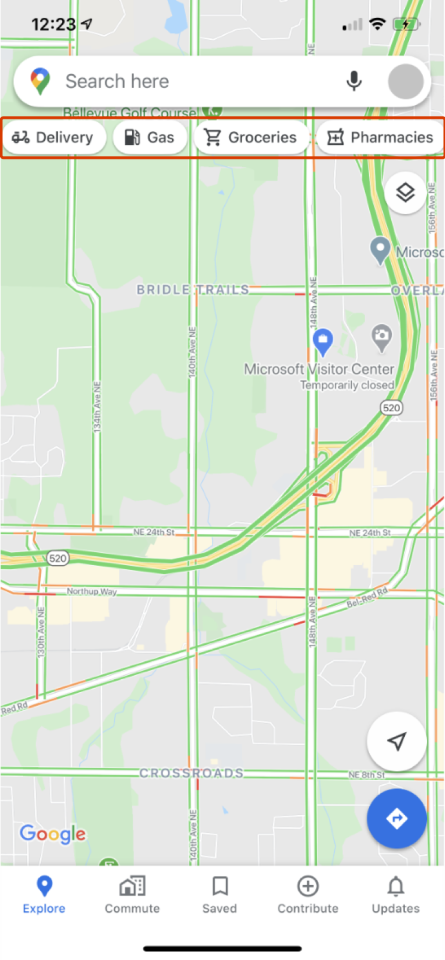
Google Maps | 1D: Demonstrate possible system inputs
Guideline 1 > Pattern 1E
Pattern 1E: Show a set of system outputs
G1: Make clear what the system can do.
Advertising
Chatbot
E-commerce
Email
Health and wellness
Guideline 1 > Pattern 1E > Example
Google Maps | 1E: Show a set of system outputs
Guideline 1 > Pattern 1E > Example
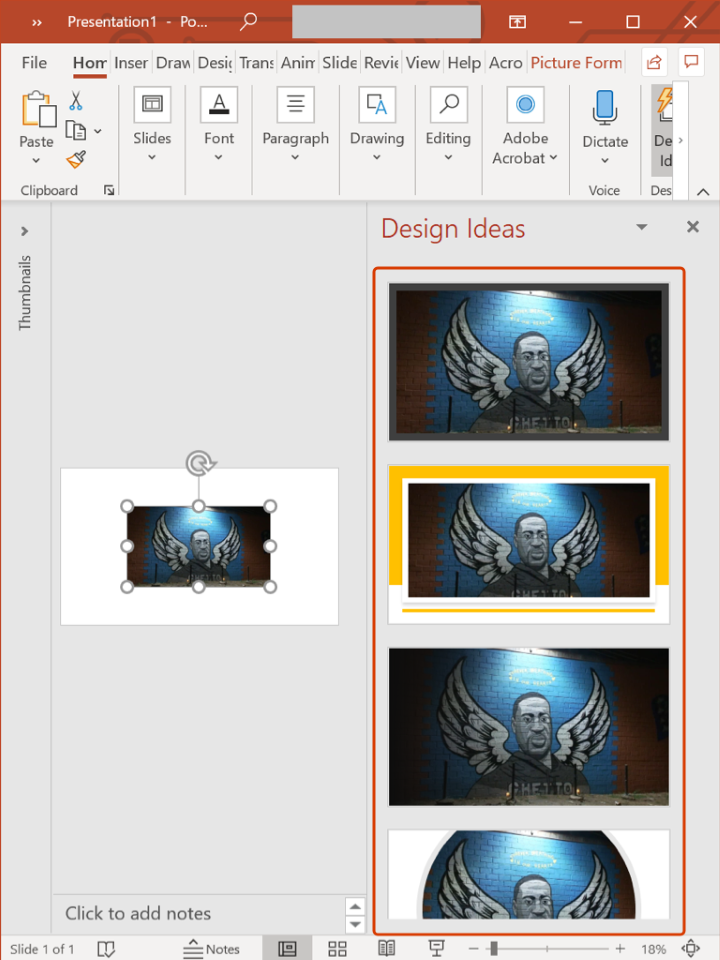
PowerPoint | 1E: Show a set of system outputs
Guideline 2 > Pattern 2A
Pattern 2A: Match the level of precision in UI communication with the system performance – Language
G2: Make clear how well the system can do what it can do.
Advertising
Chatbot
E-commerce
Email
Health and wellness
Guideline 2 > Pattern 2A > Example
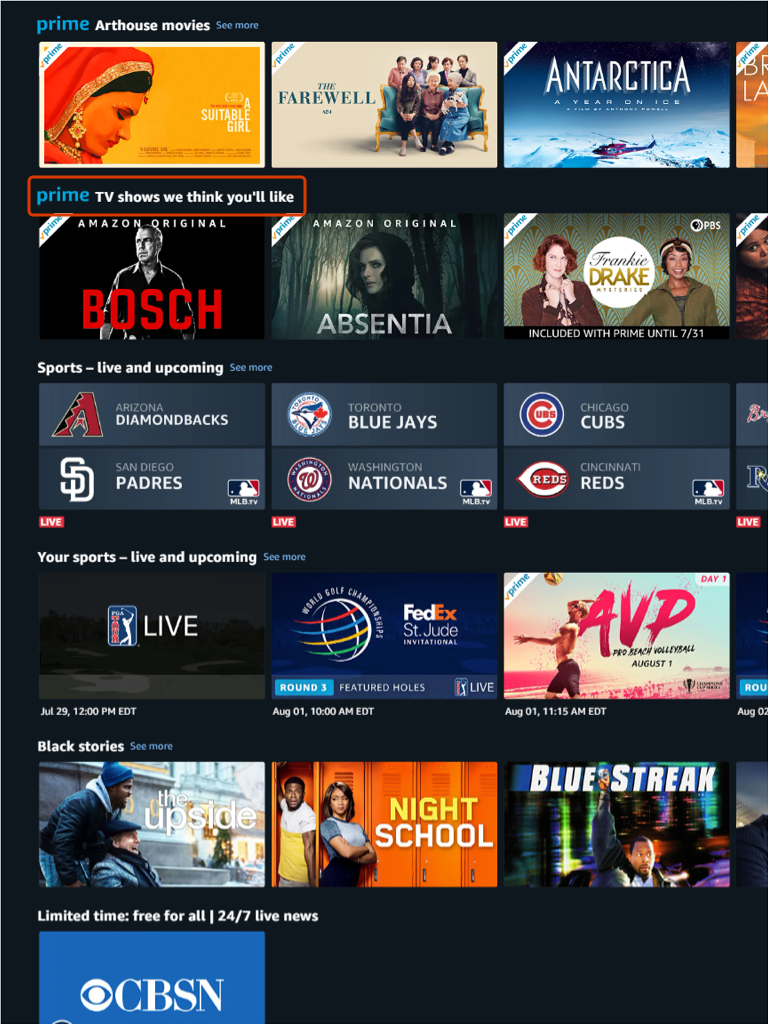
Amazon Prime Video | 2A: Match UI communication precision with system performance — Language
Guideline 2 > Pattern 2A > Example
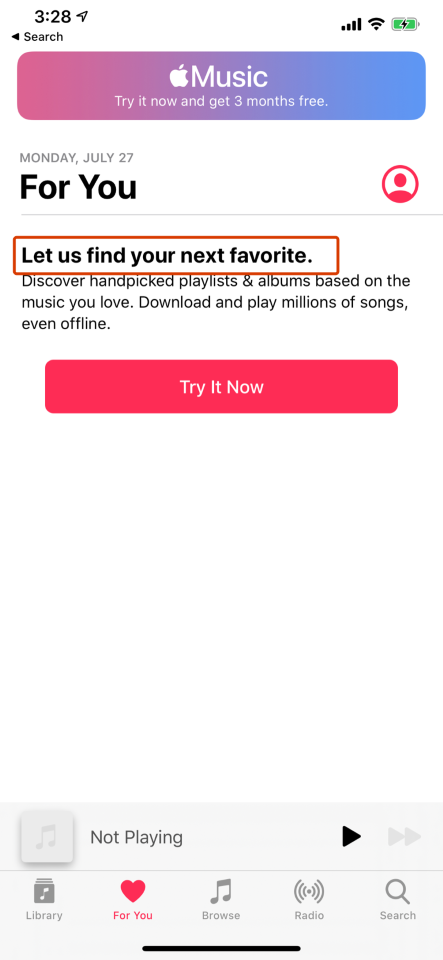
Apple Music | 2A: Match UI communication precision with system performance — Language
Guideline 2 > Pattern 2A > Example
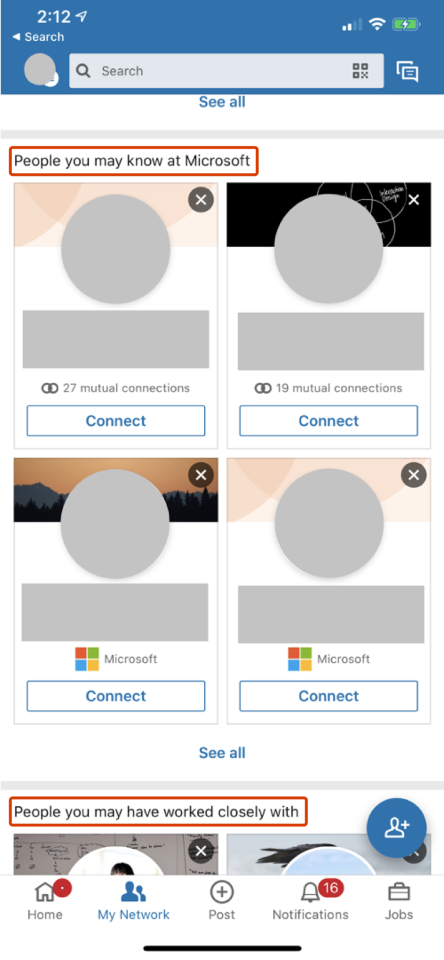
LinkedIn | 2A: Match UI communication precision with system performance — Language
Guideline 2 > Pattern 2B
Pattern 2B: Match the level of precision in UI communication with the system performance – Numbers
G2: Make clear how well the system can do what it can do.
Advertising
Chatbot
E-commerce
Email
Health and wellness
Guideline 2 > Pattern 2C
Pattern 2C: Report system performance information
G2: Make clear how well the system can do what it can do.
Advertising
Chatbot
E-commerce
Email
Health and wellness
Guideline 2 > Pattern 2C > Example
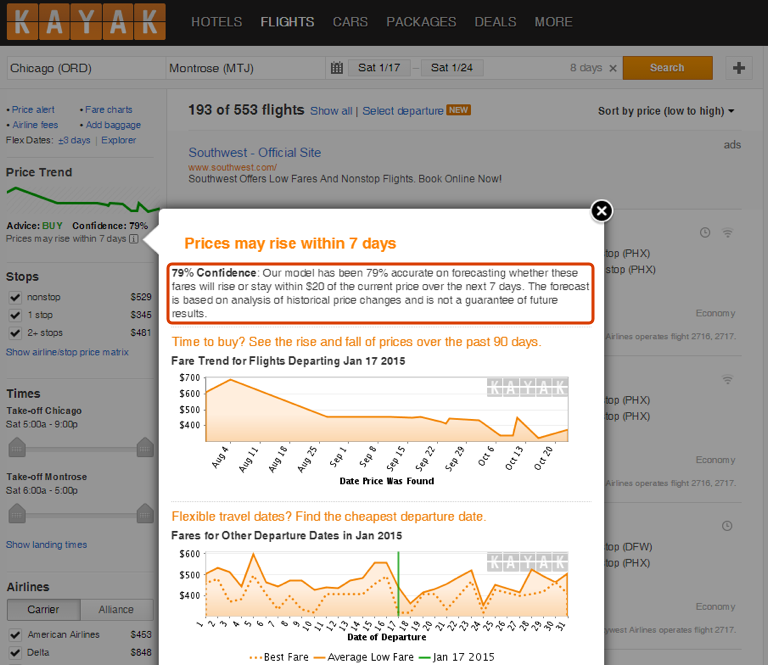
Kayak | 2C: Report system performance information
Guideline 2 > Pattern 2D
Pattern 2D: Provide low performance alerts
G2: Make clear how well the system can do what it can do.
Advertising
Chatbot
E-commerce
Email
Health and wellness
Guideline 2 > Pattern 2D > Example
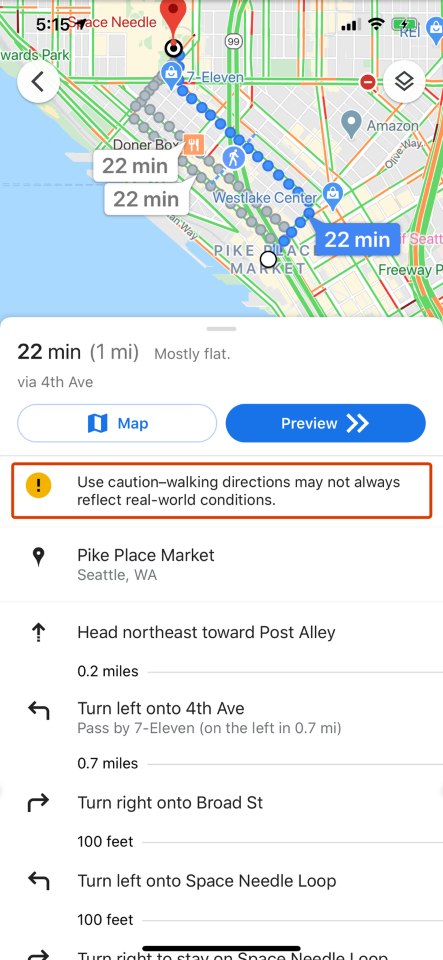
Google Maps | 2D: Provide low performance alerts
Guideline 2 > Pattern 9A > Example
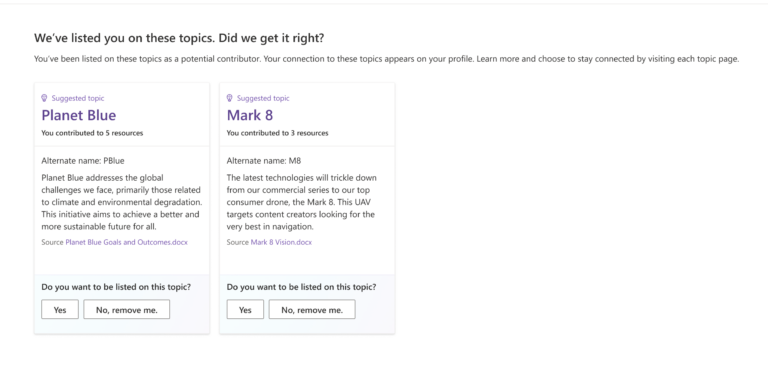
Viva Topics | 9A: Switch classification decisions and G2