Today’s post was written by Kirk Koenigsbauer, corporate vice president for the Office Client Applications and Services Team.
When we launched the Office 2016 Preview in early May, we said that we would share regular updates on new features as they became available. Here’s a quick update on what we’ve delivered in the last month.
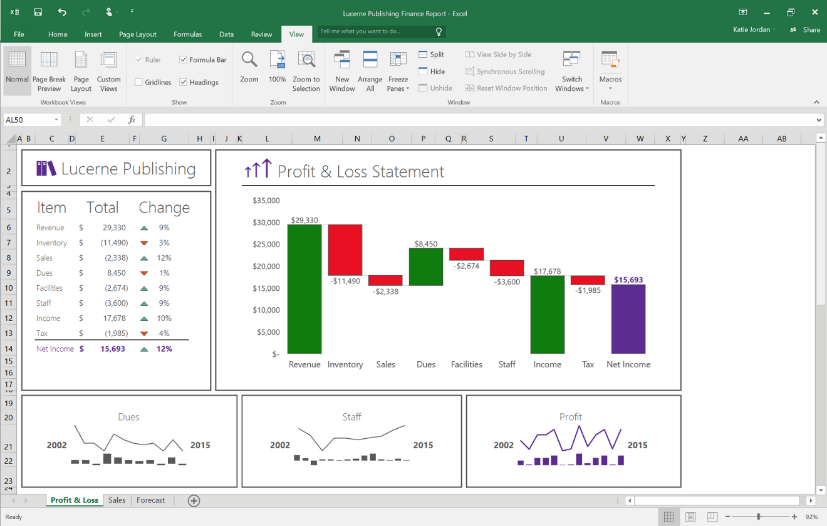
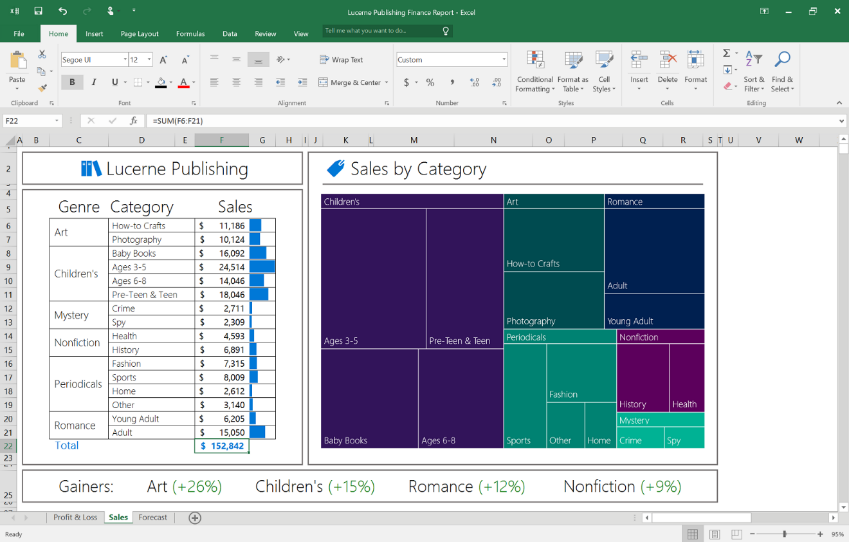
New charts in Excel—There has been a lot of enthusiasm for the new charts in Excel we delivered— all based on user feedback. The six new charts include Waterfall (shown), Histogram, Pareto, Box & Whisker, Treemap (shown) and Sunburst.
Real-time typing in Word—Real-time typing is now in Word! You can see where others are working and what they are typing as they type it. To try this, save a document to OneDrive for Business and invite your colleagues to join you in a simultaneous authoring session.
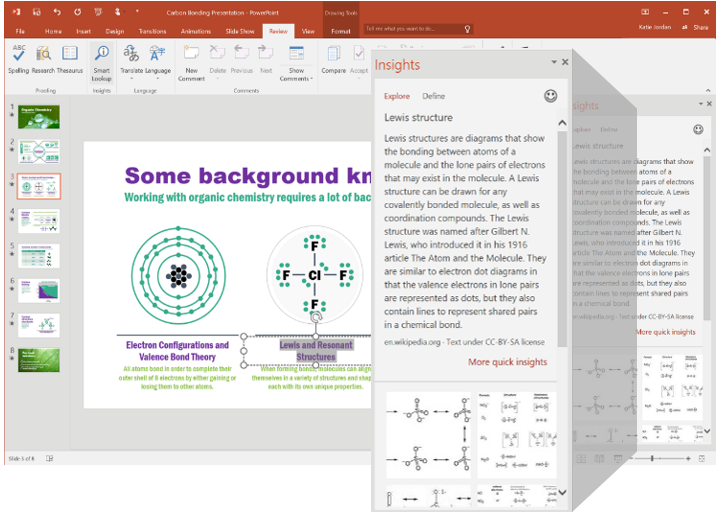
Insights in Excel and PowerPoint—Last month we delivered Insights in Word and Outlook, and we just brought it to Excel and PowerPoint. As a reminder, Insights, powered by Bing, brings you contextual information from the web right into your Office experience. Fact check or explore terms without leaving your spreadsheet or presentation. Just right click any word or phrase and select “smart lookup.”
Tell Me—Tell Me is an entirely new way to find the commands you need. Just type what you want to do in the Tell Me box at the top of Word, PowerPoint, Excel, and Outlook, and you will get a set of results that let you take the desired action directly from within those results.
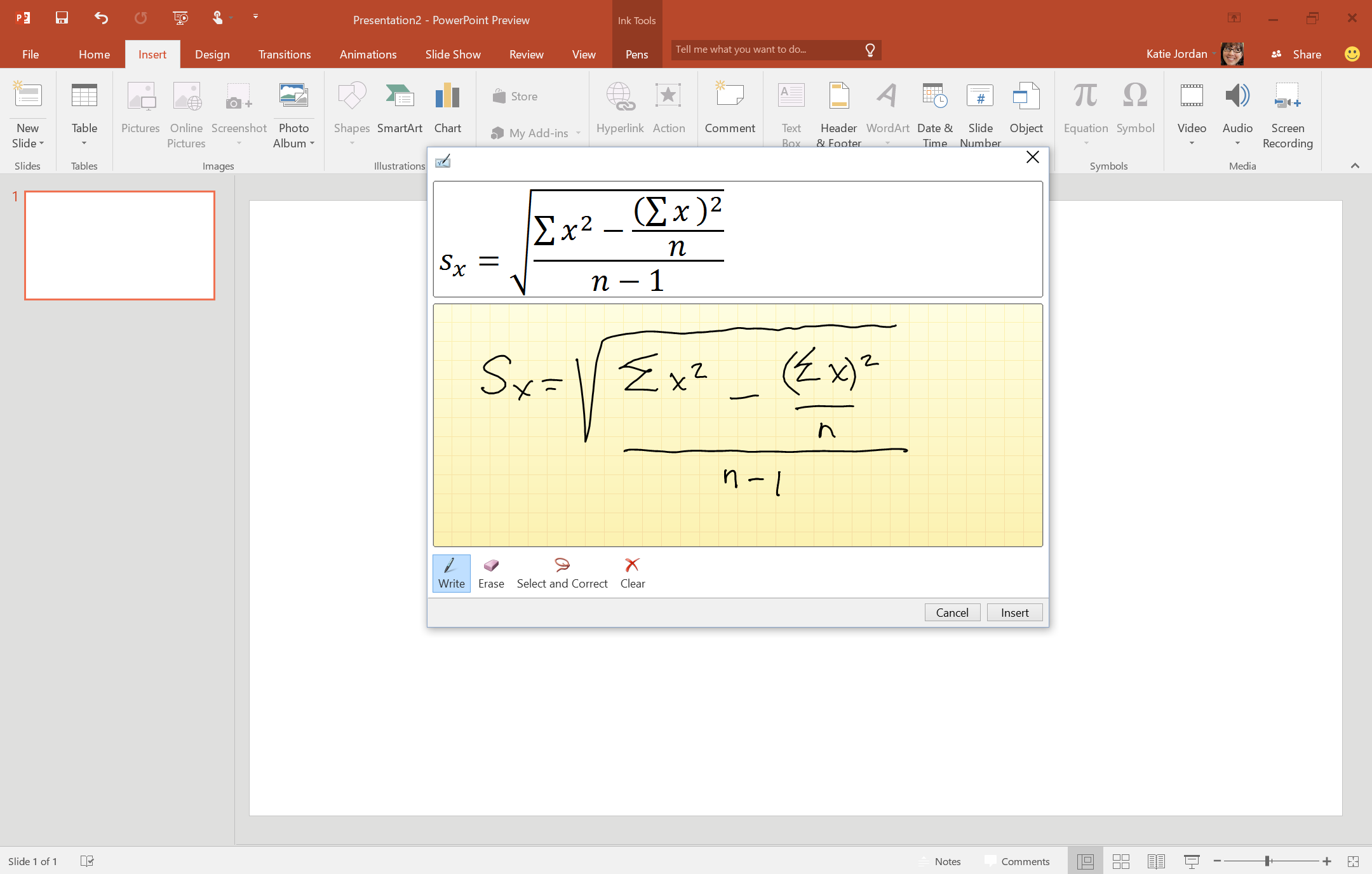
Convert Hand Written Equations to Text—Use the Insert Equation feature to write math equations in Word, Excel and PowerPoint with a digital pen, a mouse, or even your finger, and Office automatically converts it to a “typed” format.
We keep adding new features, and there’s definitely more to come. If you haven’t joined the Office 2016 Preview, it’s not too late, you can join here. Please stay tuned for future updates and thank you for your feedback and interest in Office 2016!
—Kirk Koenigsbauer