
Passwords can be frustrating, difficult to remember, and easily hacked or stolen. That’s why our vision for Windows is one of a passwordless platform—a world where users don’t have to deal with the pains of a password.
With the release of Windows 10, version 1903, we’re bringing Windows 10 closer to delivering our passwordless user and security promises, with new features that we’re excited for you to try out:
- Adding a passwordless phone number Microsoft account to Windows.
- Passwordless sign-in to Windows for the first time with the Microsoft Authenticator app.
- Windows Hello certified as a FIDO2 authenticator for passwordless sign-in on the web.
- Streamlined Windows Hello PIN recovery above the lock screen.

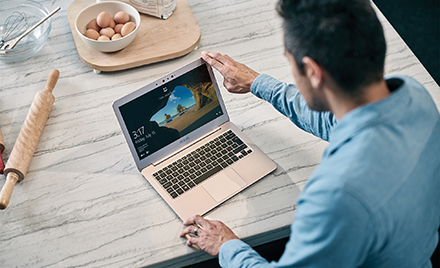
Figure 1. Passwordless Windows Hello sign-in to Windows 10.
Adding a passwordless phone number Microsoft account to Windows
A passwordless phone number Microsoft account is exactly what it sounds like—a Microsoft account that can be created with just your phone number in mobile Office apps like Word, OneNote, or Outlook on your iOS or Android device. It unlocks all the benefits of a Microsoft account, and most importantly, it doesn’t require a password.
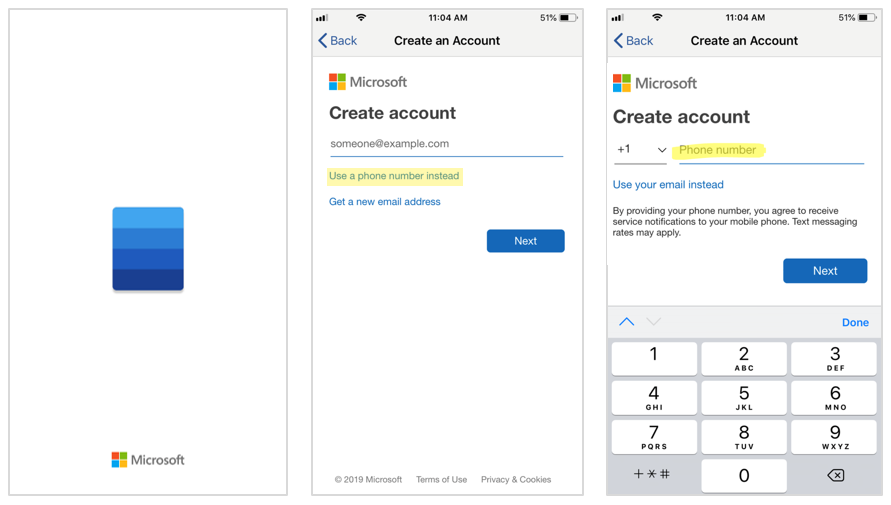
Figure 2. Creating a passwordless phone number Microsoft account for Word Mobile on an iOS device.
Now for the first time ever, you can go to Settings and add a passwordless phone number Microsoft account to your device and use the Microsoft Authenticator app, or an SMS code roundtrip, to sign in for the first time—no password needed! This is enabled with an added web sign-in capability on the Windows lock screen. After that, Windows Hello is set up for an end-to-end passwordless experience.
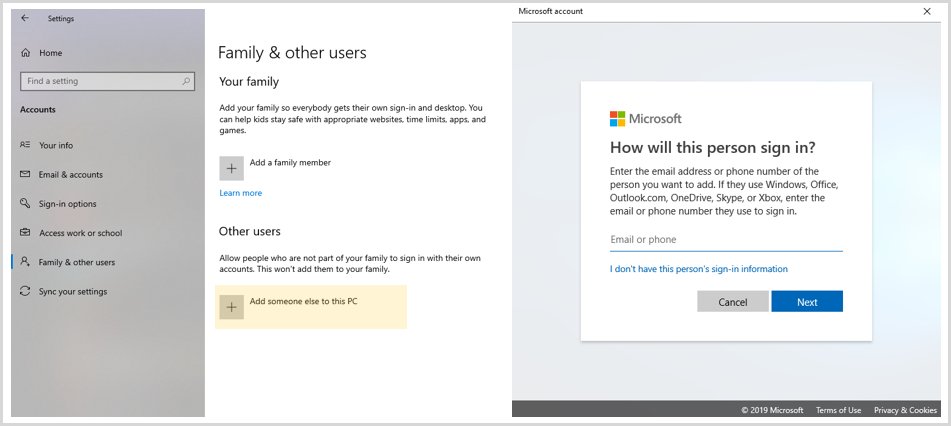
Figure 3. Adding a Microsoft account to Windows through the Settings app.
Passwordless sign-in to Windows for the first time with the Microsoft Authenticator app
In addition to supporting passwordless phone number Microsoft account sign-in, the web sign-in capability can be used with any Microsoft account—even if it’s just a regular email account. You can try it out by adding a Microsoft account to Windows, signing in for the first time with the Microsoft Authenticator app (make sure it’s already set up for your Microsoft account), and setting up Windows Hello face, fingerprint, or PIN for later sign-ins—all without a password!

Figure 4. First time Microsoft account sign-in to Windows with the Microsoft Authenticator app.
Windows Hello certified as a FIDO2 authenticator for passwordless sign-in on the web
In November 2018, we announced the ability to use Windows Hello and FIDO2 compliant Microsoft-compatible security keys for passwordless sign-in on the web with a Microsoft account. Additionally, the FIDO Alliance recently announced that with Windows 10, version 1903, Windows Hello is a FIDO2 certified authenticator.
With this announcement, you can use Windows Hello or FIDO2 compliant Microsoft-compatible security keys for sign-in to the web on Windows 10. This is available on Mozilla Firefox version 66 and above and will soon be supported on Chromium-based browsers, including Microsoft Edge on Chromium, when signing in to a Microsoft account and other websites supporting FIDO authentication.
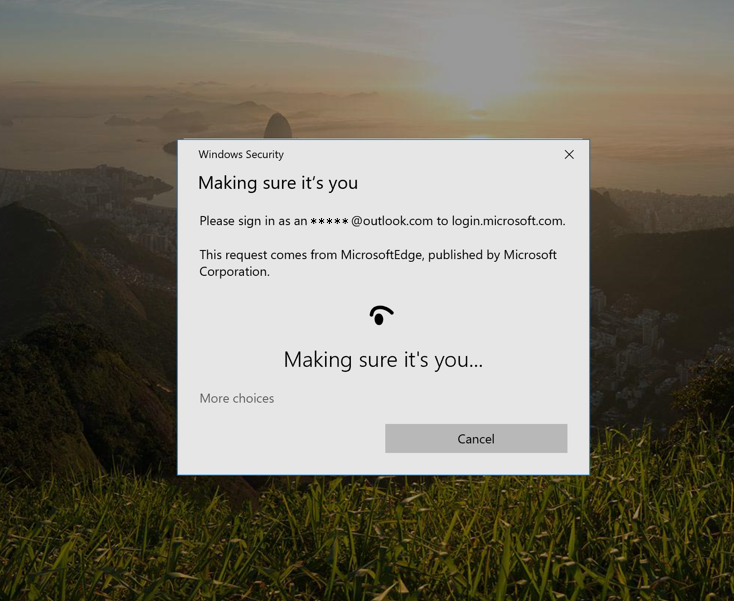
Figure 5. Using Windows Hello to sign in to a Microsoft account on Firefox.
To learn how to enable FIDO authentication, watch Enabling your application and services to use passwordless authentication and read Windows Hello FIDO2 certification gets you closer to passwordless.
Streamlined Windows Hello PIN recovery above the lock screen
We know that users occasionally forget their Windows Hello PIN, so we wanted to provide our Microsoft account users with a revamped “I forgot my PIN” experience above the Windows lock screen with the same look and feel as signing in on the web. Just like first time sign-in, you can use the Microsoft Authenticator app instead of a password to reset your PIN when signing in.
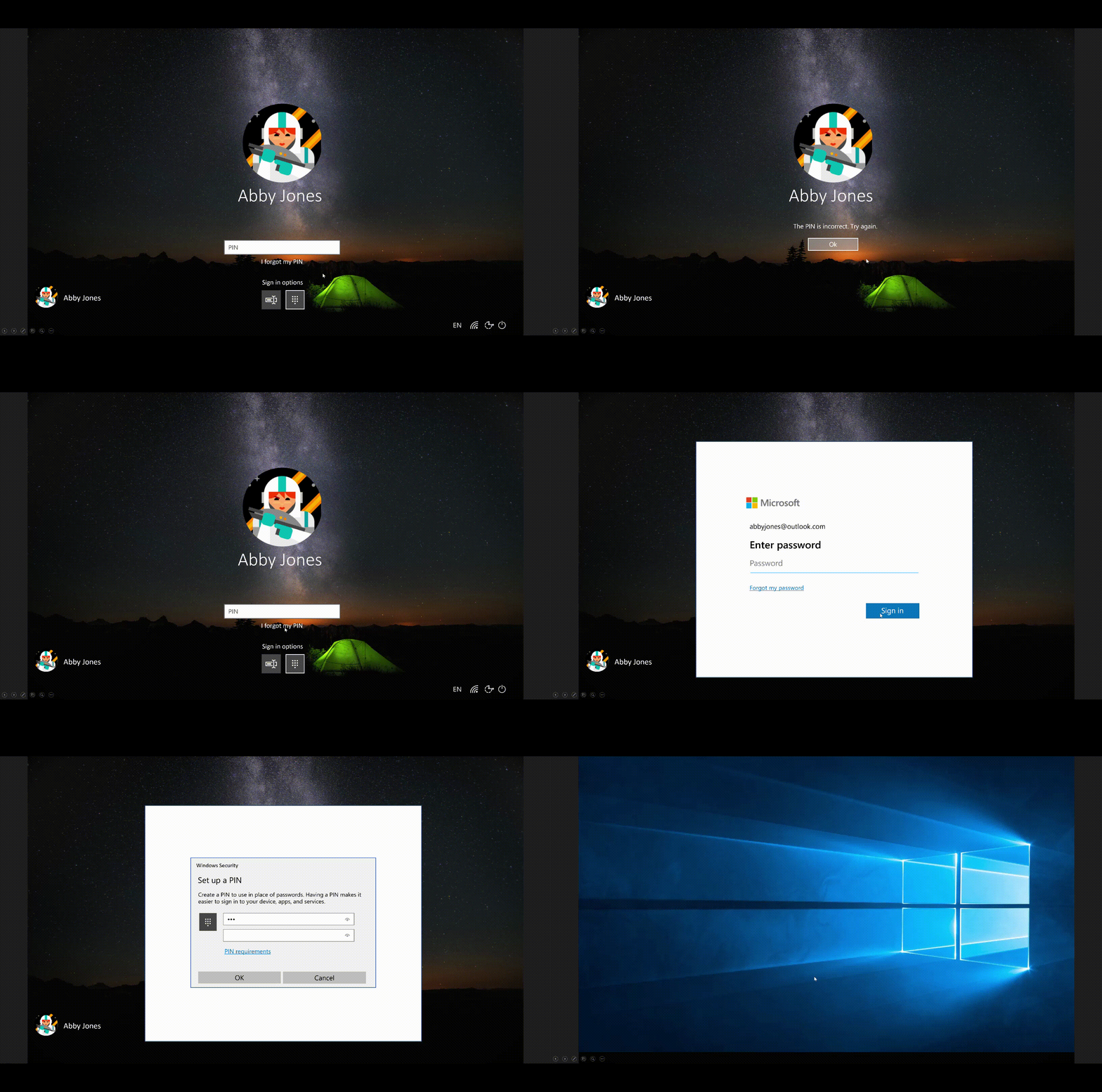
Figure 6: Streamlined Windows Hello PIN recovery experience above lock.
Let us know what you think
While there’s still a ways to go in our passwordless platform journey, we’re excited for you to try these new features and let us know what you think. Comments, questions, and feedback are all welcome! You can reach out to us at [email protected] or by posting in the Windows 10 Feedback Hub app.