


Data governance has relied on transferring data to a third-party for hosting an archive service. Emails, documents, chat logs, and third-party data (Bloomberg, Facebook, LinkedIn, etc.) must be saved in a way that it can’t be changed and won’t be lost. Data governance is part of IT at the enterprise level. It serves regulatory compliance, can facilitate eDiscovery, and is part of a business strategy to protect the integrity of the data estate.
However, there are downsides.
In addition to acquisition costs, the archive is one more system that needs ongoing maintenance. When data is moved to another system, the risk footprint is increased, and data can be compromised in transit. An at-rest archive can become another target of attack.
When you take the data to the archive, you miss the opportunity to reason over it with machine learning to extract additional business value and insights to improve the governance program.
The game changer is to have reliable, auditable retention inside the Microsoft 365 tenant. This way, all the security controls and visibility in Microsoft 365 and Azure remain in effect. There is no additional archive to be attacked, protected, or monitored. In addition, there is no third-party archiving system to be purchased or maintained.
All the machine learning and correlation tools—always on and native to Microsoft 365—are reasoning over your data estate. Dark data can be illuminated.
Microsoft 365 tenant dashboards
Microsoft 365 dashboards are created automatically. Tiles allow you to drill down to the file level and locate sensitive data. Retention, disposition review, and deletion policies can be visualized, and compliance verified. Audit-ready governance reports can be generated.
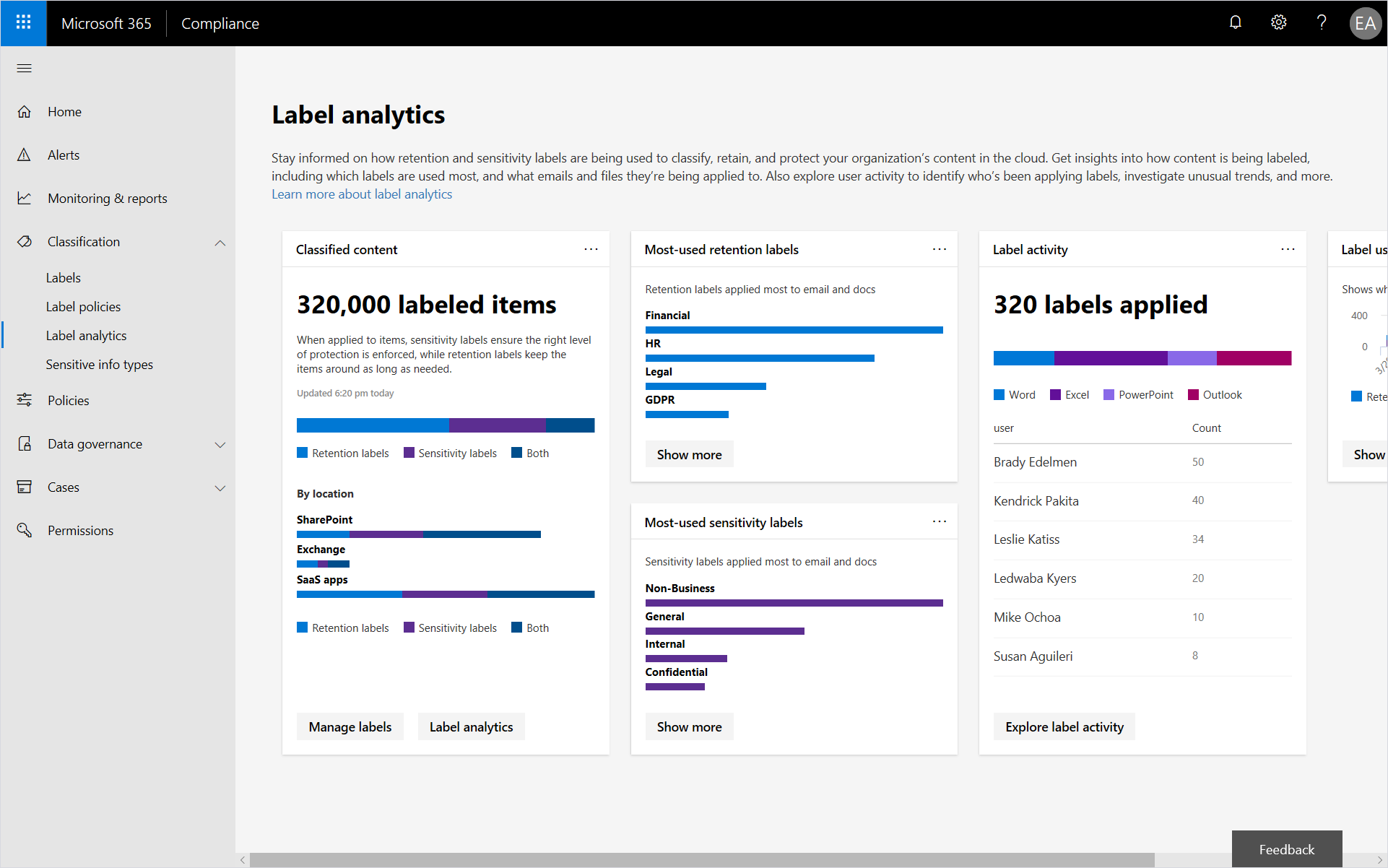
Your data governance program becomes measurable, manageable, and useable. It adds value to your business rather than being just a compliance tool.
Data governance is more than retention for Microsoft 365. Businesses rely on non-Microsoft solutions as well. There are built-in connectors for Bloomberg, Facebook, LinkedIn, and other popular third-party applications that allow this data to be brought into Microsoft 365 for retention.
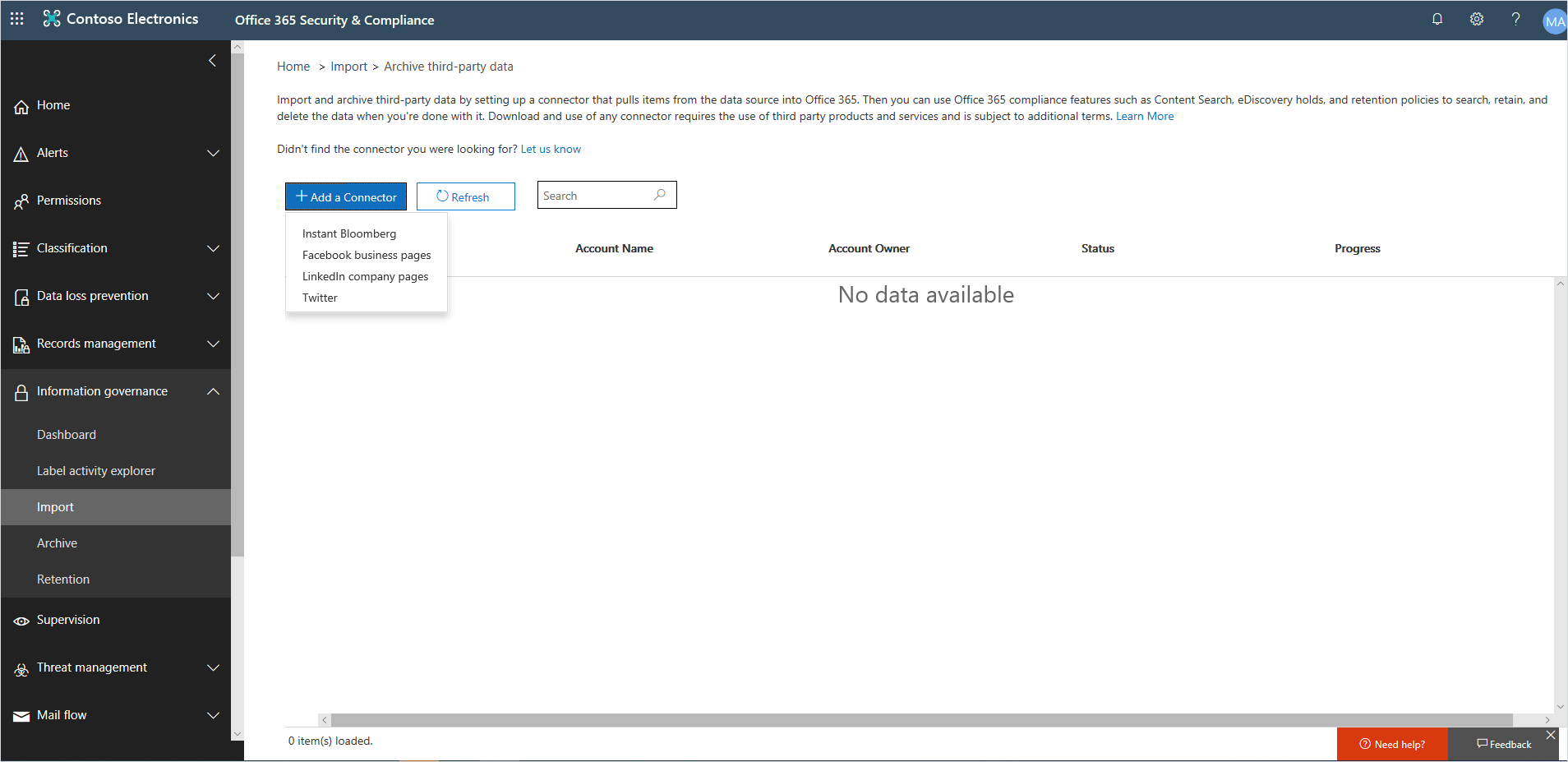
Where we don’t yet have a connector for your solution, Microsoft Partners can provide a wide range of pre-built connectors or the ability to build custom connectors using our software development toolkit. To learn more, read Work with a partner to archive third-party data in Office 365.
In some cases, particularly where regulatory compliance—such as with the CFTC Rule 1.31(c)-(d), FINRA Rule 4511, and SEC Rule 17a-4—is needed, immutability of records must be maintained. These rules have specific requirements for electronic data storage, including many aspects of records management, such as the duration, format, quality, availability, and accountability of records retention. Microsoft provides the admin this ability in the Label settings. To do this, under Classify content as a “Record” with this label, select the Yes, classify as a regulatory “Record” dropdown option, and then under Retain this content, set the duration.
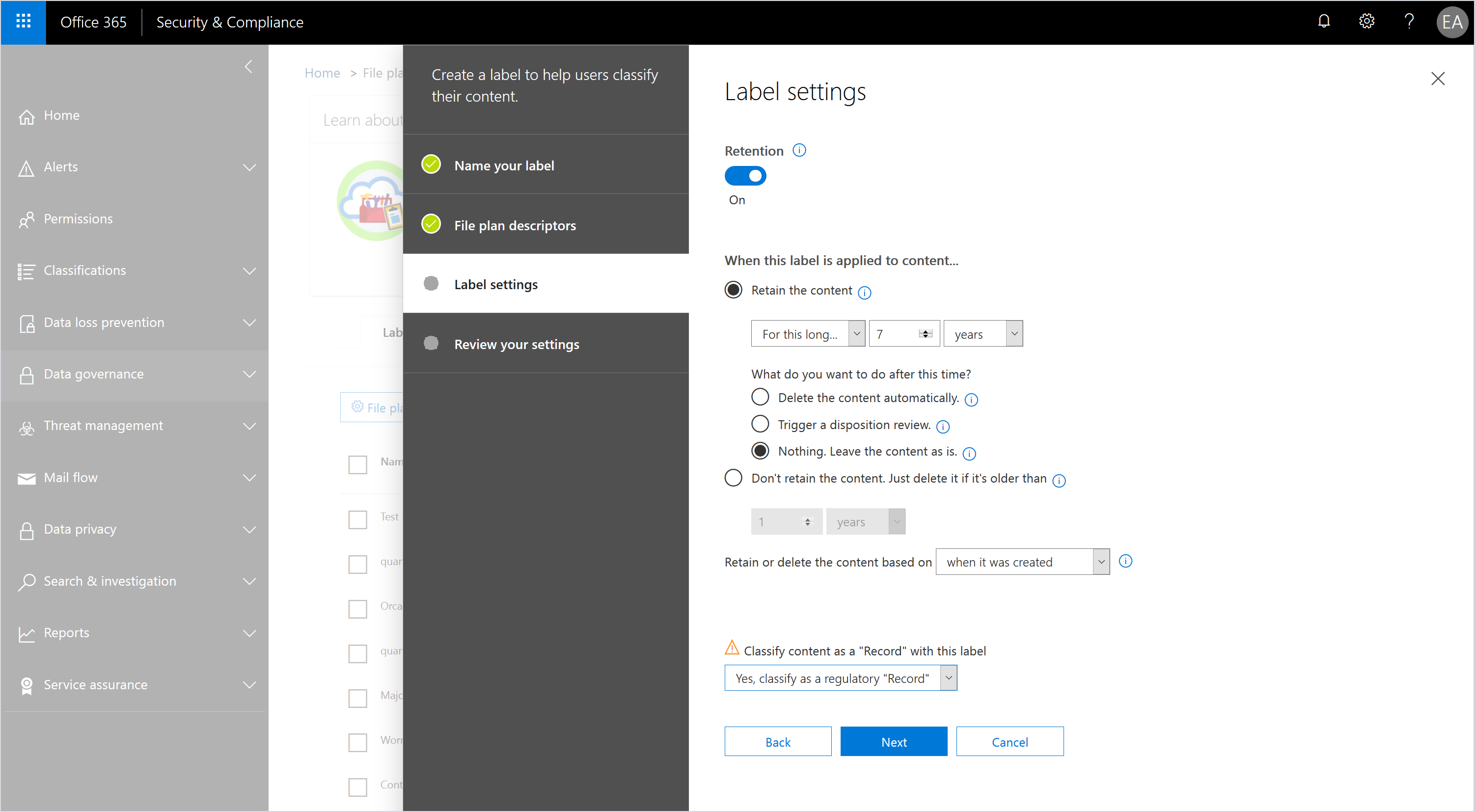
Once set, this option cannot be changed. Even admins are not able to change or delete the records.
Microsoft engaged Cohasset Associates to review this capability and provide an assessment document for consideration of our customers and their regulators. The assessment is available at: Data Protection Resources. Currently the assessment includes Exchange Online and will be extended to include SharePoint Online in mid-2020.
The ability to archive data inside the Microsoft 365 tenant with security controls intact and all the visibility and machine learning features of Microsoft 365 available is an advantage that many organizations can use, some with their existing licenses.
Learn more
To find out more about other advanced compliance features, check out Microsoft 365 compliance documentation. Also, bookmark the Security blog to keep up with our expert coverage on security matters and follow us at @MSFTSecurity for the latest news and updates on cybersecurity.