

February 6, 2024
Share this page


Show your pet some love with your Windows 11 computer
Furbabies are more than just pets. They’re family. If you’re like other pet lovers, you like to have reminders of your critters with you no matter where you are. A great place to put them is on a tool you frequently use: your Windows 11 computer.
Check out these fun and easy ways to celebrate National Love Your Pet Day every day.
Boop their snoot across your devices
Chances are you’ve got lots of great pics on your phone. Get them onto your laptop to see that sweet face all the time. Whether it’s a profile image with your dog, cat screensavers, or a desktop background featuring Polly with her cracker, it’s easy to see your sweetie as you use your Windows computer.
Want to display a picture for the Background on your Surface Laptop? Follow these simple steps.
Once you’ve downloaded your photos to your computer,
- Go to the Start button and select Settings.
- In the Settings app, select Personalization, then select Background.
- On the Choose a photo line, go to Browse photos to select an image you want to use.
You can also keep your favorite images on rotation. In the same Background menu, you’ll see a lineup of factory-set images and ones you’ve recently used. Select the one you want, and–boom–you’re back on the beach with your pal Bear and his frisbee.
Give them a spot in your desktop apps
Add your menagerie to your Windows 11 apps to make pet-dedicated folders, files, and reminders. Need to keep track of vet bills and other important documents? Put digital versions in a desktop folder for easy access. Are Fluffy and Fido’s social calendars busier than yours? Create Outlook calendars for their schedules, from dog walkers to holiday cat sitters. You can even set birthday and daily medication reminders and other important events.
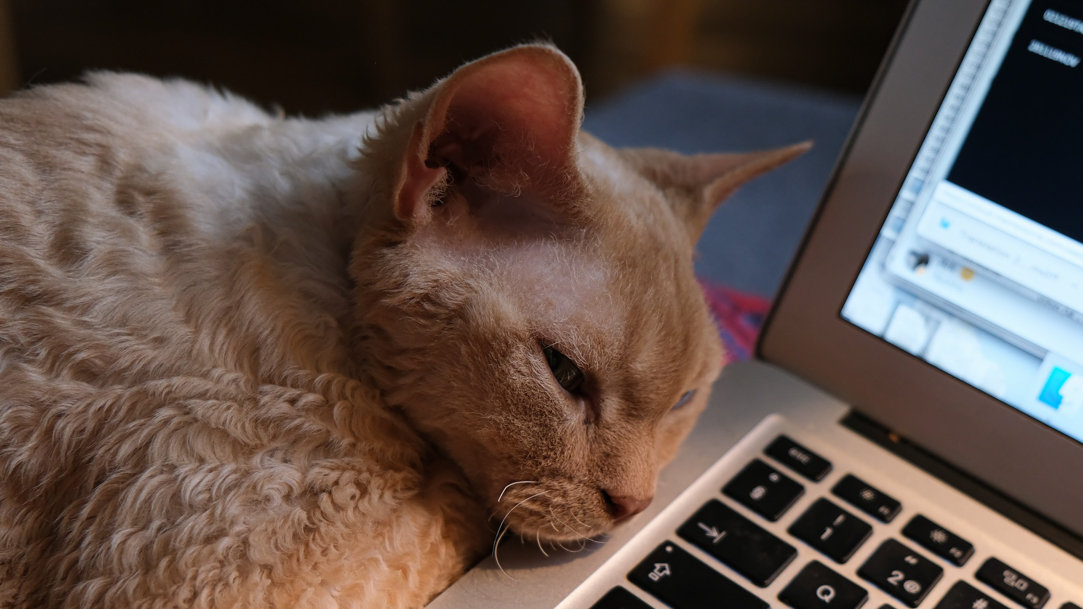
Capture the moments that matter
You can never have too many pictures or videos of you and your furry boo. Take advantage of that built-in camera in your Windows 11 laptop, tablet, or 2-in-1 PC to create lasting memories. Fun memories, too! Got any funny cat videos?
The possibilities are endless, of course. Keep your Surface device close to get good stuff like:
- Before and after shots of the cat vs. that thing on a shelf.
- Video evidence of the innocent dog who obviously did it.
- That time Grandpa and Bowser were snoring on the couch.
Another idea is to record a video call with friends, family, or fellow rabbit lovers to catch up and share your latest adventures.
Show your love wherever they are
This Love Your Pet Day, and every day, celebrate your affection for your favorite beast with the features in your Windows 11 computer. From your fondest memories to inspirational moments or just to bring a smile to your face, it’s an easy way to keep them with you even when they’re not.
For more information on how you can use your Windows 11 computer to display your photos, visit our support center at support.microsoft.com.
Looking to upgrade your computer? See what’s new with Microsoft Surface or get help choosing the device that’s right for you.
Products featured in this article

Microsoft Surface PCs
Related topics

Looking to upgrade to Windows 11 for your Surface? Follow these quick steps.

How to improve your photography using a Surface
