July 10, 2025 | Updated: March 03, 2026
Share this page


Backpacks are packed, group chats are buzzing, and the first assignments are already on the board. For teens balancing classes, projects, and everything in between, reliable back-to-school tech makes all the difference.
From staying organized to knocking out homework faster, these six Windows 11 study tools help teens start the school year strong.
1. Recall (preview): Lost a file? Find it fast
Between class notes, homework drafts, and helpful videos, it’s easy to forget where something was saved—or whether it was even saved at all. With Recall (preview), you can search your Windows 11 PC like a memory timeline. Just drop a phrase from a document, an image, even something you saw on the web, and Recall helps track it down instantly.1
Whether it’s an old math worksheet, a recipe for a school project, or that YouTube explainer that actually made sense, Recall helps get back to it fast—without digging through folders or browser history.
2. Click to Do (preview): Rewrite with a click
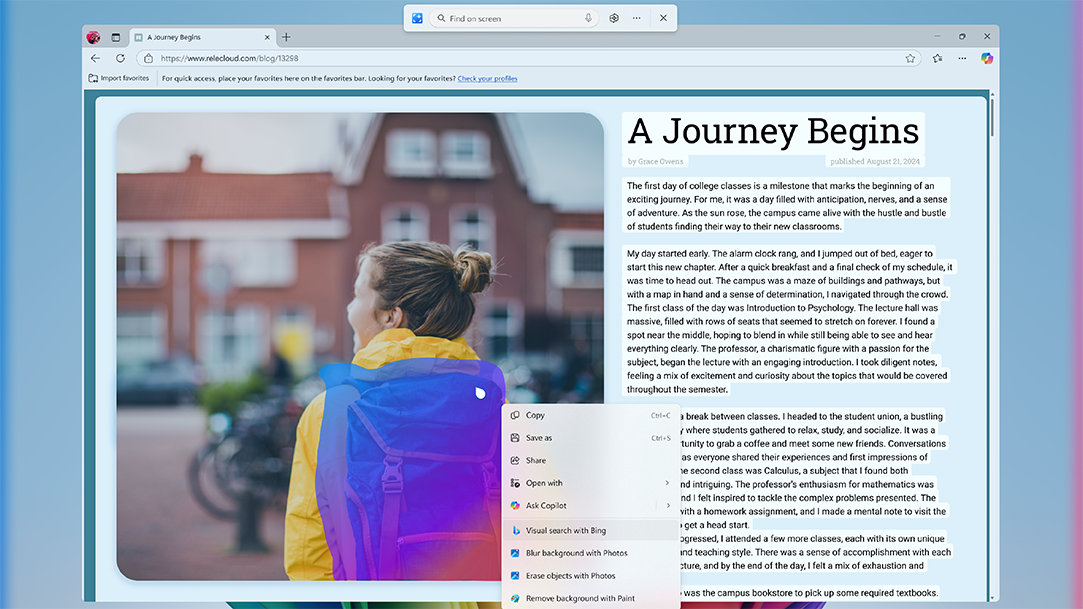
Need to polish a rough draft, rephrase a sentence, or pull out the main idea? Click to Do (preview) makes that part easier. Just highlight any block of text and choose from a set of smart actions—like Summarize, Rewrite in a more casual or formal tone, or even pull out an email address or website link.2
Perfect for editing essays, writing club announcements, or making last-minute tweaks before hitting “submit,” it helps students work faster without switching between apps or tools. Just select and go.
3. Improved Windows Search: Say it your way and find what you need
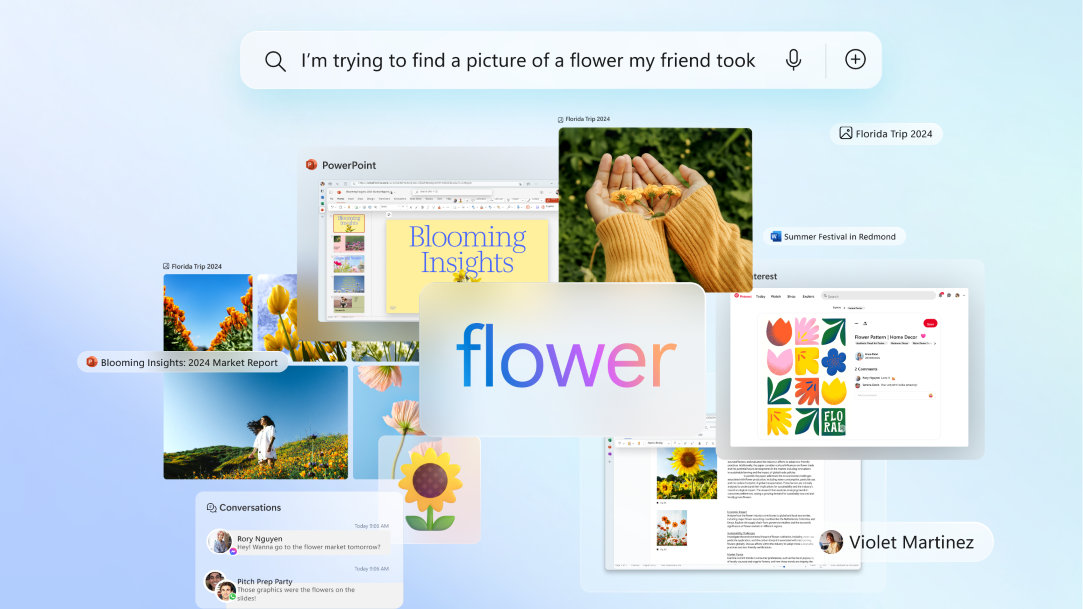
Let’s be real: students don’t always remember file names. That’s where improved Windows Search comes in. Just describe what you remember—“photosynthesis diagram from science class”—and it’ll track it down.3 Whether it’s in File Explorer, your Settings, or tucked in a folder from weeks ago, it’s there. This kind of smart search is key to maintaining student productivity when deadlines loom.
4. Snap layouts: Master multitasking in a snap
Why shuffle between tabs when you can see everything at once? Snap layouts is a Windows 11 feature that lets students organize apps and docs into side-by-side views. On touchscreen Copilot+ PCs, it's even possible to drag windows with your finger and instantly snap them into place.4
5. Focus Sessions: Focus, found
Silence the noise—literally. Focus Sessions automatically turn on Do Not Disturb and track study time with a progress chart. Need to stay focused for 25 minutes? Cue up a Spotify playlist and dive in distraction-free.5 Great for study sprints, writing marathons, or any time you need to get in the zone, this Windows 11 feature keeps you on task and accountable.
6. Live captions: Translate every word instantly
Need to watch a French documentary for school or understand a Spanish-language podcast? With AI-powered Live Captions, you can auto-translate any live or pre-recorded video from 44 languages into English.6
It’s accessibility reimagined—helping you learn, connect, and explore globally without barriers. Whether you're prepping for a trip or brushing up for class, it's like having a language tutor built into your laptop.
Back-to-school tech that’s built for how students really work
Whether it’s organizing classwork, staying focused during study sessions, or finding that one file from three days ago, Windows 11 PCs are designed to help students do more with less effort. With built-in features like Recall, Focus Sessions, and Snap layouts, these PCs support how teens actually learn—multitasking across tabs, switching between study apps, and staying productive on the go.
Want to see what school-ready tech really looks like? Explore Windows 11 PCs today.



