Every organization building AI agents hits the same wall. Agents can access data, but they can’t understand the business. They retrieve records but miss context. They answer questions but don’t know your rules, your relationships, your processes. The bottleneck is no longer model access. It’s business context. Over the past six months, we’ve been building Microsoft Dataverse into the agent data platform: the layer that gives agents not just data access, but real business understanding.
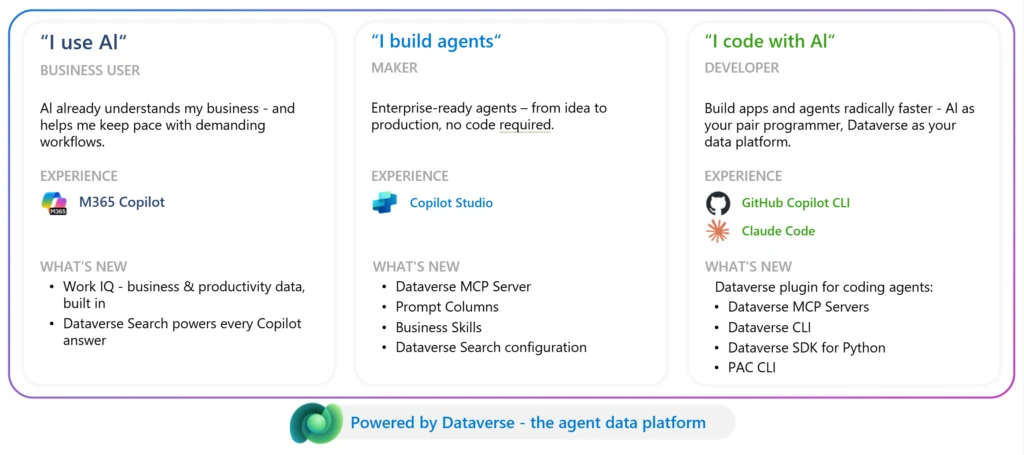
Here’s what’s new for each persona:
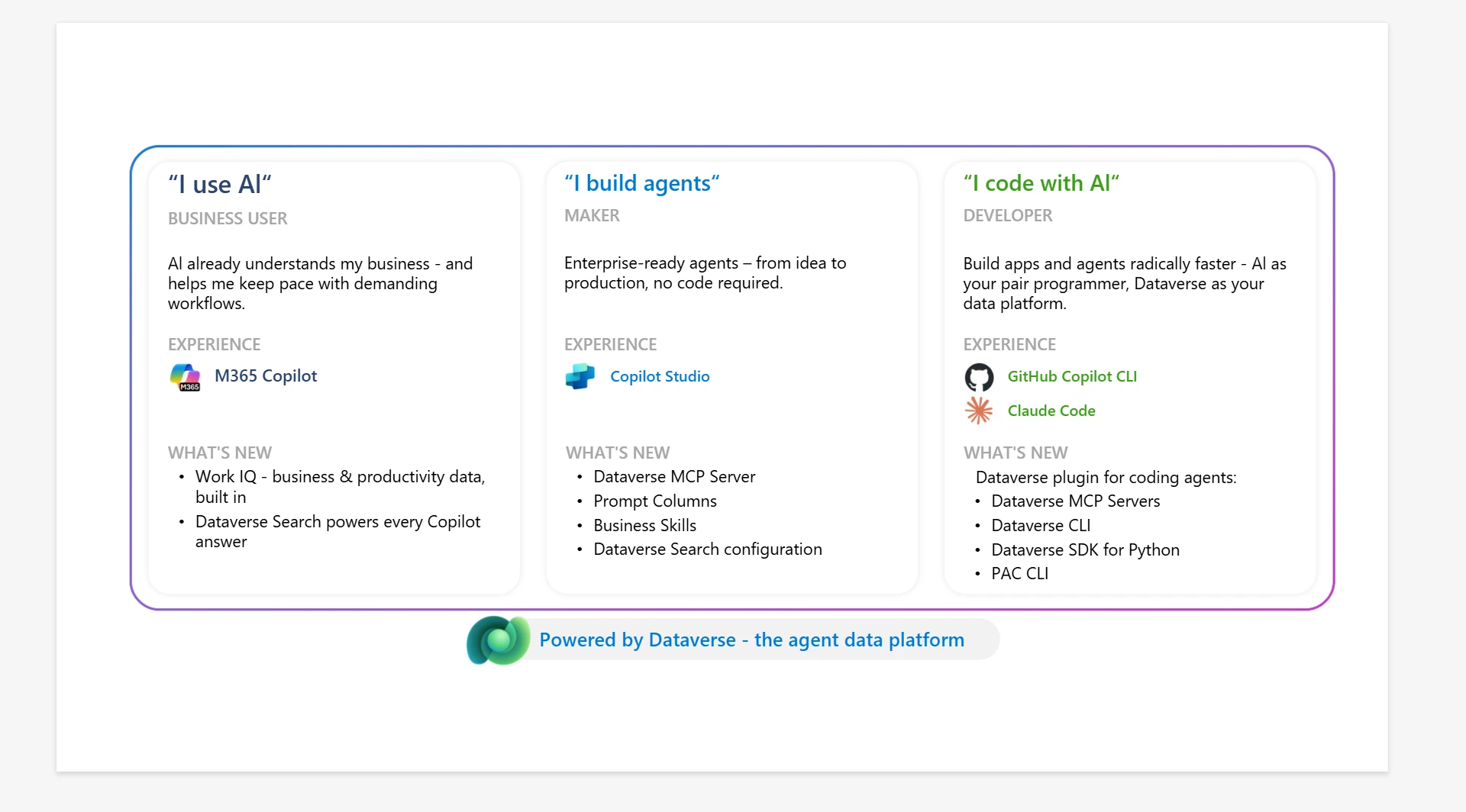
- For business users, business data in Microsoft 365 Copilot. Your unified business data includes Dynamics 365 or custom apps built in Power Platform powered by Dataverse combined with Microsoft 365 data (i.e. emails, meetings, and documents) to deliver grounded, contextual answers.
- For makers, business skills describe a specific process. Skills are the detailed steps-by-step instructions involved, the information required, and the business rules that apply. Agents connected to the Dataverse MCP server discover relevant skills automatically and use them to complete tasks according to your organization’s standards.
- For developers, Dataverse Plugin for coding agents. Dataverse plugin is an open-source plugin that lets AI coding agents like Claude Code and GitHub Copilot build and manage Microsoft Dataverse solutions through natural language. Available on Claude Marketplace: install a plugin, say “connect to Dataverse,” and start building.
Here’s what we shipped and why it matters.
Dataverse in Microsoft 365 Copilot
Business data has been locked behind app-specific experiences. Business users context switch between Dynamics 365, Power Apps, Outlook, and Teams to piece together the full picture. What if Copilot could understand your business data the way your best people do?
That’s now happening. In March, we announced Microsoft 365 Copilot embedded as an in-app sidecar experience within Power Apps, Dynamics 365 Sales, and Dynamics 365 Customer Service. Under the hood, we introduced a reasoning layer natively integrated in Microsoft 365 Copilot, reconciling enterprise data and work signals from across your apps to power the combination of critical sources of business data and insights: Microsoft 365 apps, Dynamics 365 apps, and Power Platform. Coming soon in early June, business data will be available across Microsoft 365 Copilot experiences in Copilot App on desktop, Teams, Outlook, Word, Excel, and PowerPoint.
What does this look like in practice? Ask Microsoft 365 Copilot “There’s new guidance about vendor selection. For overdue issue, please select which vendor to assign” and get a precise list grounded in your CRM records and email signals. No report building. No app switching. No guesswork. Let’s see this in action.
By leveraging the intelligent semantic layer in Agentic AI powered Dataverse Search, Microsoft 365 Copilot experiences deliver answers using an adaptive reasoning process based on schema and keywords. This allows Microsoft 365 Copilot to understand tables and relationships and how to navigate them to get the right answers rather than doing just keyword search.
The same proven unified semantic search index that powers global search in Power Apps also provides retrieval and grounding for Copilot, agents, and MCP tools. When your search gets better, every AI experience built on it gets better too. In this release, we’ve made the index faster, more real-time, and easier to manage:
- Up to 6× faster initialization. Turning on Dataverse search for a new environment now takes minutes, not hours. Your team gets started faster, so they can build more.
- Near real-time data freshness. Newly added or updated records appear in Copilot results within minutes. Copilot and agents are ground on current business data, not stale snapshots.
- Zero-disruption schema evolution. Adding or removing columns no longer pauses indexing. Schema changes refresh in the background while Dataverse Search keeps running.
- Visibility and control for admins. See exactly which tables are indexed, how much capacity each consumes, and download usage reports. Enable or disable indexing for Copilot and search independently, so you can scale AI workloads without impacting existing search behavior.
One search index for Copilot, agents, and MCP. All grounded in the same governed business data in Dataverse.
Business skills: teach agents how your organization works
Your organization’s most valuable knowledge lives as tribal knowledge in people’s heads: the escalation path for a vendor issue, the approval steps for a sales proposal, the process to assign the right specialist to staff your project. Agents can’t access what isn’t simply written down.
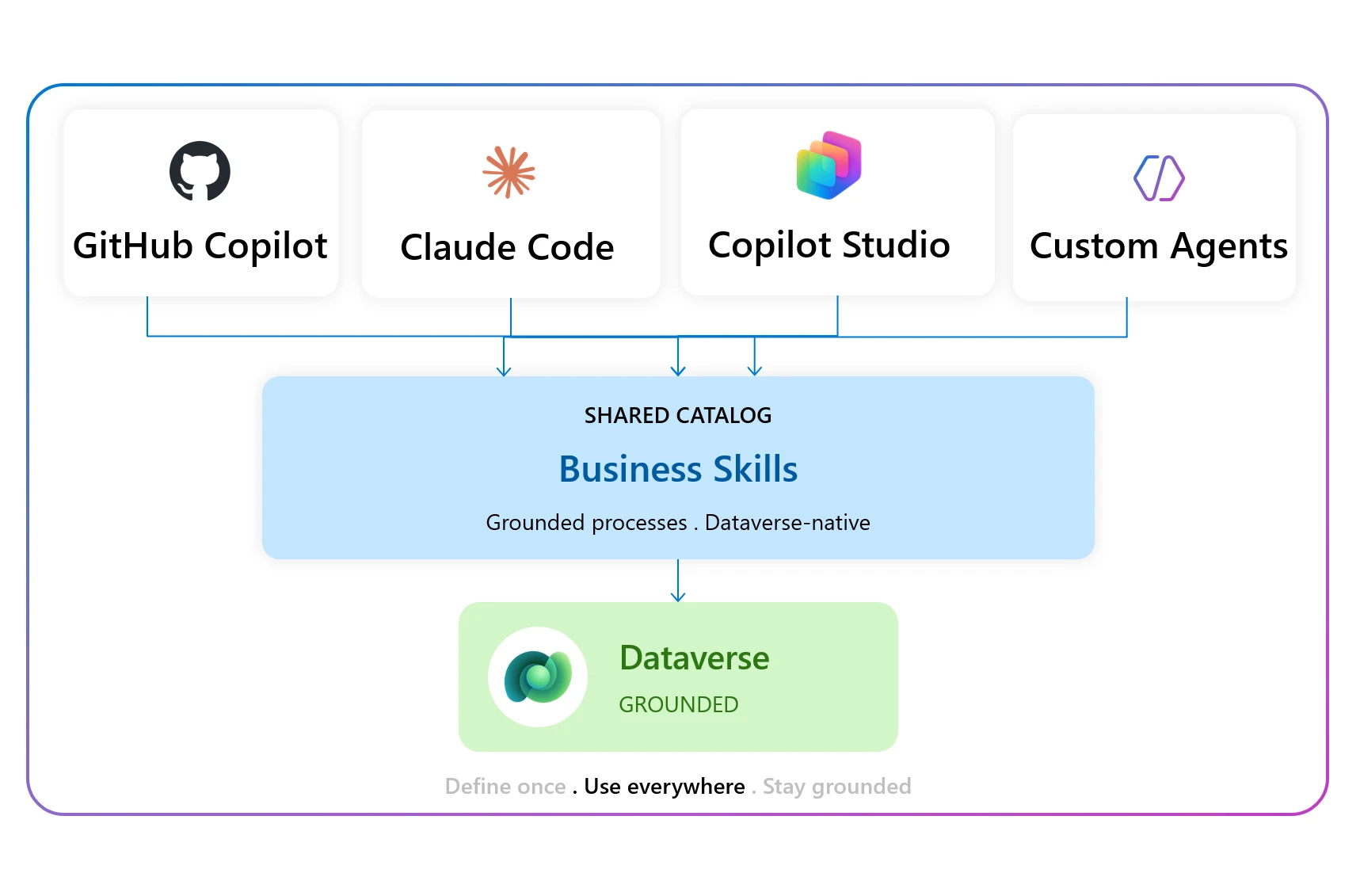
Business skills in Dataverse, now in public preview, captures your processes, policies, and domain expertise as natural-language instructions. Makers can write business skills in plain language or upload existing skills and govern them with built-in controls. The best part: any agent connected to the Dataverse MCP server discovers your skills automatically, whether it runs in Copilot Studio, GitHub Copilot, Azure AI Foundry, or any MCP-compatible client. Define once, apply everywhere – let’s see this in action.
Velrada makes this real in a field service inspection scenario:
“Velrada built Inspection Agent to help worksite supervisors and field workers track the maintenance status of their equipment – so they can trust the tools used to get the job done. The Inspection Agent uses business skills to perform an equipment inspection with the user. For an onsite HVAC inspection, the Inspection Agent will invoke the business skill to determine the questions to ask based on equipment class, checks the last inspection outcomes, and pull in context of any historic issues. The result: a conversational assessment that produces a consolidated inspection report on the HVAC unit’s condition and follow-up guidance for maintenance”
— Matthew Pontel, General Manager of Applied AI, Velrada
Learn more about business skills: Introducing business skills: Teach agents how your organization works – Microsoft Power Platform Blog
Dataverse plugin: coding agents now speak Dataverse
Enterprise development is shifting from writing code to directing AI agents. Developers describe intent; coding agents orchestrate the right tools over governed business data. What used to require juggling APIs, CLIs, and documentation can now be expressed as a single prompt.
The Dataverse Plugin for coding agents (in public preview) makes this real. Install one open-source plugin, and your coding agent gets full Dataverse fluency. Under the hood, the plugin packages four tools and knows which one to reach for:
- Dataverse MCP Servers for ad-hoc discovery and natural-language queries.
- Dataverse CLI (in preview) for rich data plane actions.
- Python SDK for batch and scripted operations.
- PAC CLI for admin gestures like solution export and environment management.
No manual setup. Describe your intent; the agent handles the orchestration. See this in action.
Picture this: a platform developer needs to build a customer escalation tracker on Dynamics. With the Dataverse plugin for coding agents, they connect to their environment, create tables, define business skills, configure security roles, and deploy the solution, all through natural language in their coding agent. That’s modern development with coding agents.
Get started: Install the Dataverse Plugin
Dataverse agentic evolution: from experimentation to execution
Six months ago, agents could access your data. Today, they understand your business: your schema, your processes, your rules. The wall between data access and business understanding is coming down: that’s the agent data platform. Today at EU Biz Apps Summit in Cologne, we’re showing all of this live. And we’re just getting started. At //Build in June, we’ll share what’s next. Learn more:
- Business Skills blog: https://newed.any0.dpdns.org/en-us/power-platform/blog/2026/05/01/business-skills/
- Sample Business Skills on Github: https://github.com/microsoft/dataverse-business-skills
- Dataverse + M365 Copilot blog: Build business understanding with Dataverse in Microsoft 365 Copilot – Microsoft 365 Developer Blog
- Dataverse docs: https://learn.microsoft.com/en-us/power-apps/maker/data-platform/data-platform-intro
- Dataverse MCP preview docs: https://learn.microsoft.com/en-us/power-apps/maker/data-platform/data-platform-mcp-preview-tools
- Dataverse Plugin blog: https://devblogs.microsoft.com/powerplatform/dataverse-plugin-claude-marketplace/